• Tag Archives tutorial
  • Pumpkins?

     I have a special post over on the ODBD Blog today with a mini tutorial on how to create these cute little pumpkins. And here it is on my blog.

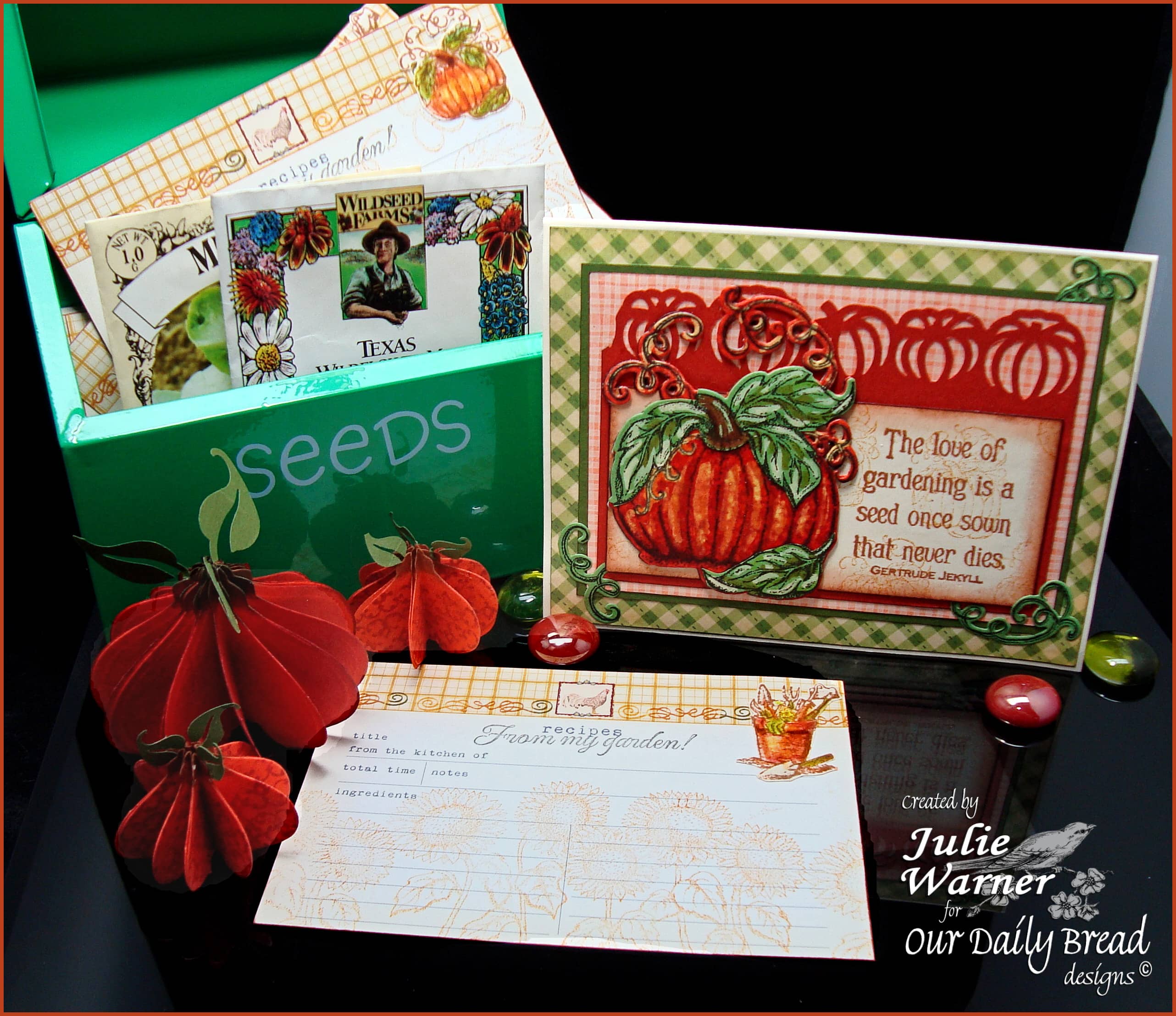
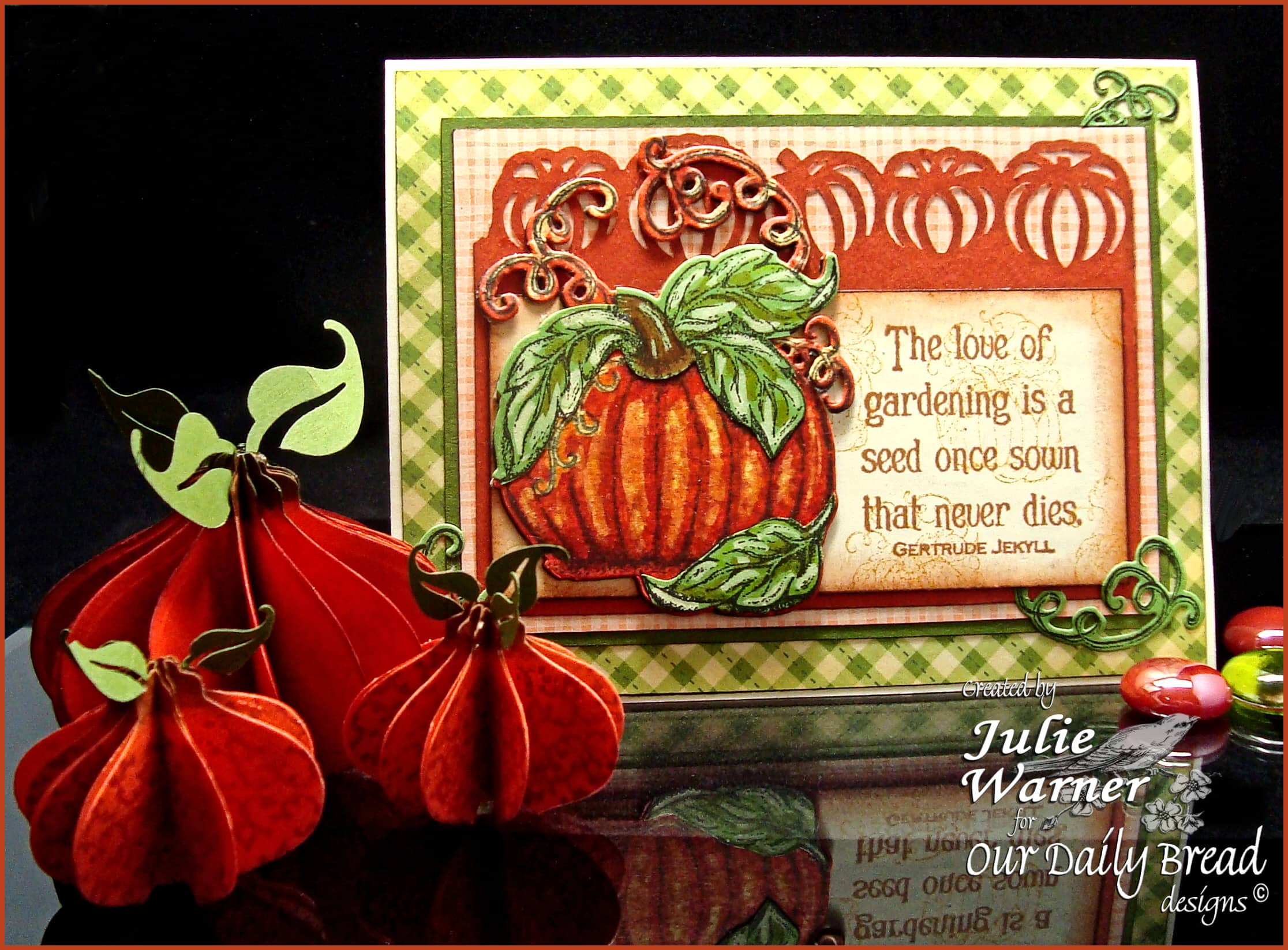
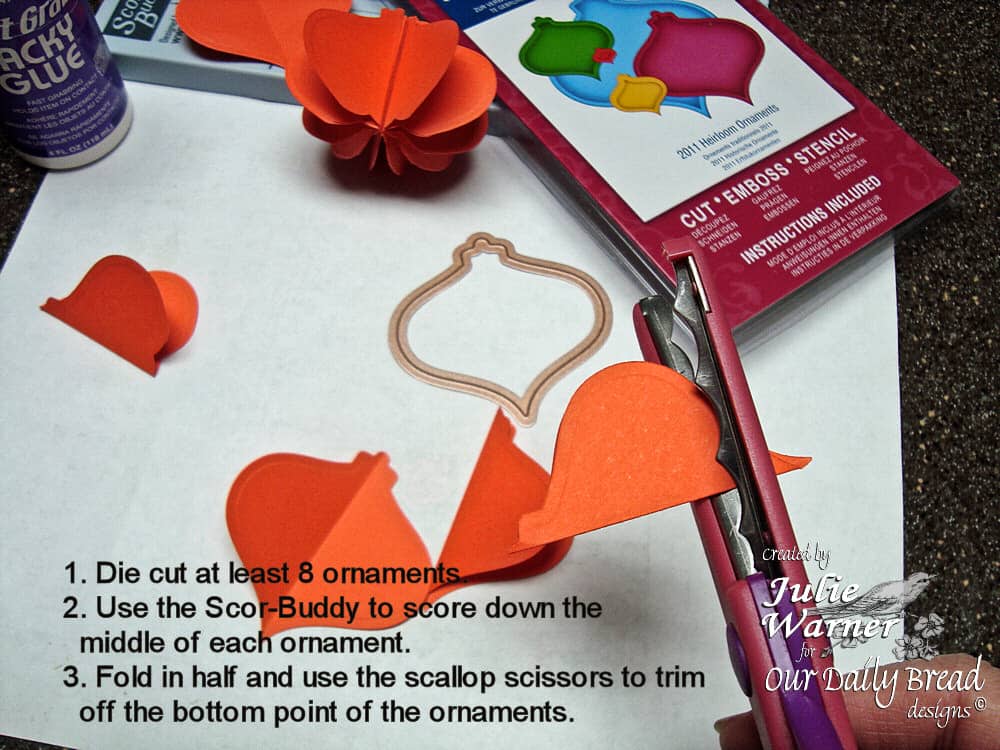
    Fall is almost here! I have a little project for you today involving pumpkins. You know it’s fall when you see pumpkins on display! I also have pumpkin card to show you, made with the fabulous new ODBD pumpkin image and matching custom die. I had the idea of making the little accordion pumpkins but I started to use a circle or scallop circle die. Luckily, I had just received the brand new Spellbinders 2011 Heirloom Ornament dies and I thought if I trimmed the pointy bottom, the shape really looked like a pumpkin.
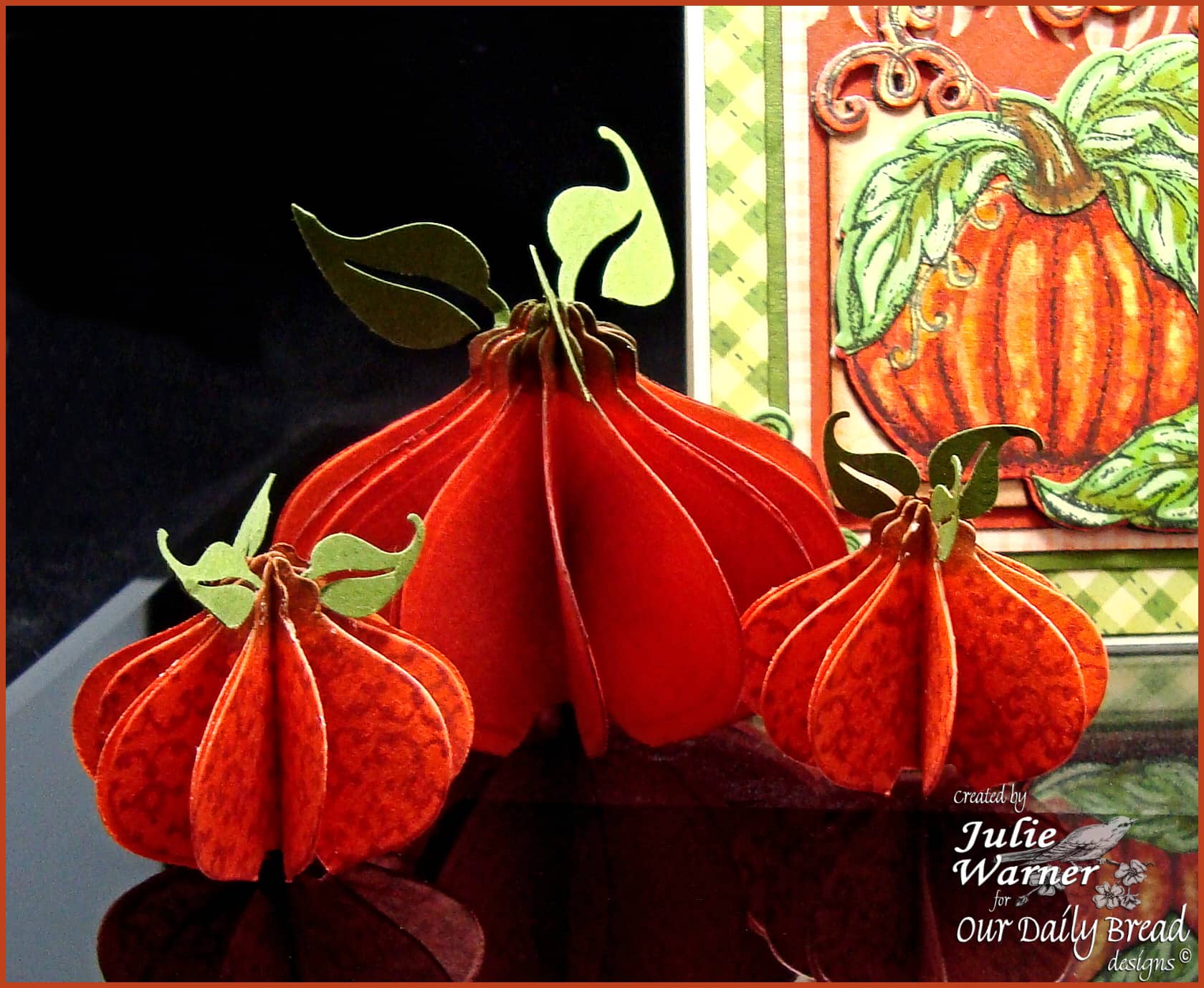
     

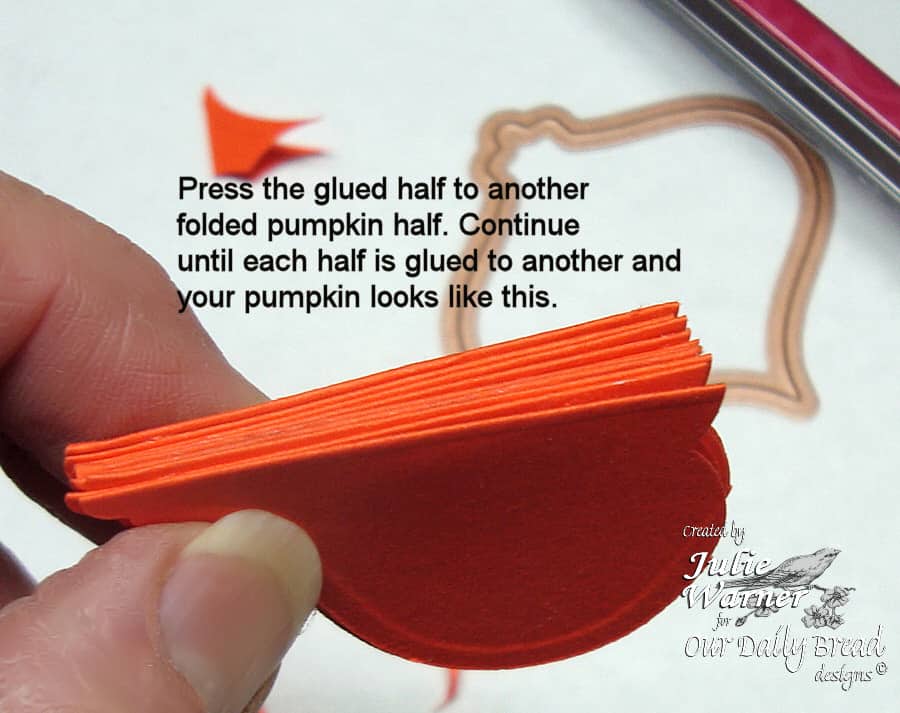
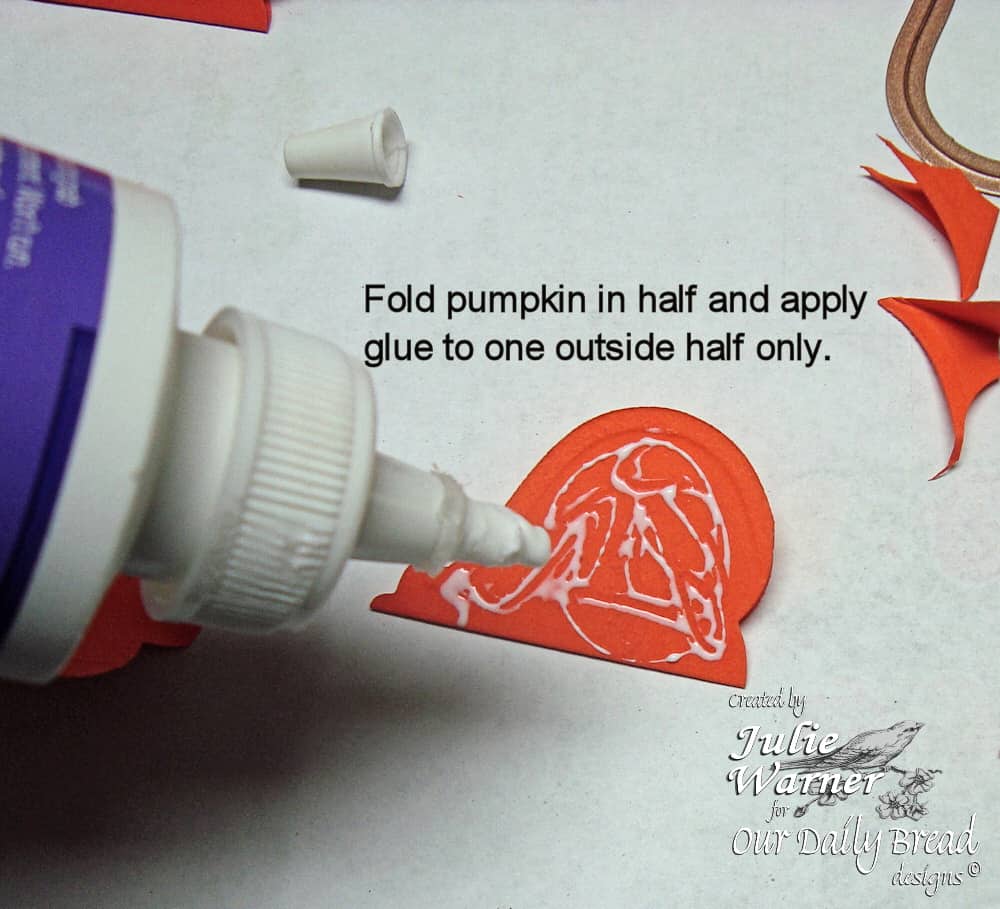
    Here’s a little closer view of the pumpkins. I used the two middle size dies for these pumpkins. These are pretty easy; just follow the instructions on the pics. Remember, just click on each pic to enlarge. On the two little ones, I stamped the Vintage Border Background with Memento Rhubarb Stalk before I glued the sections together. The leaves were punched and I put a little glue on the stem and stuck them between the sections before I glued them together.
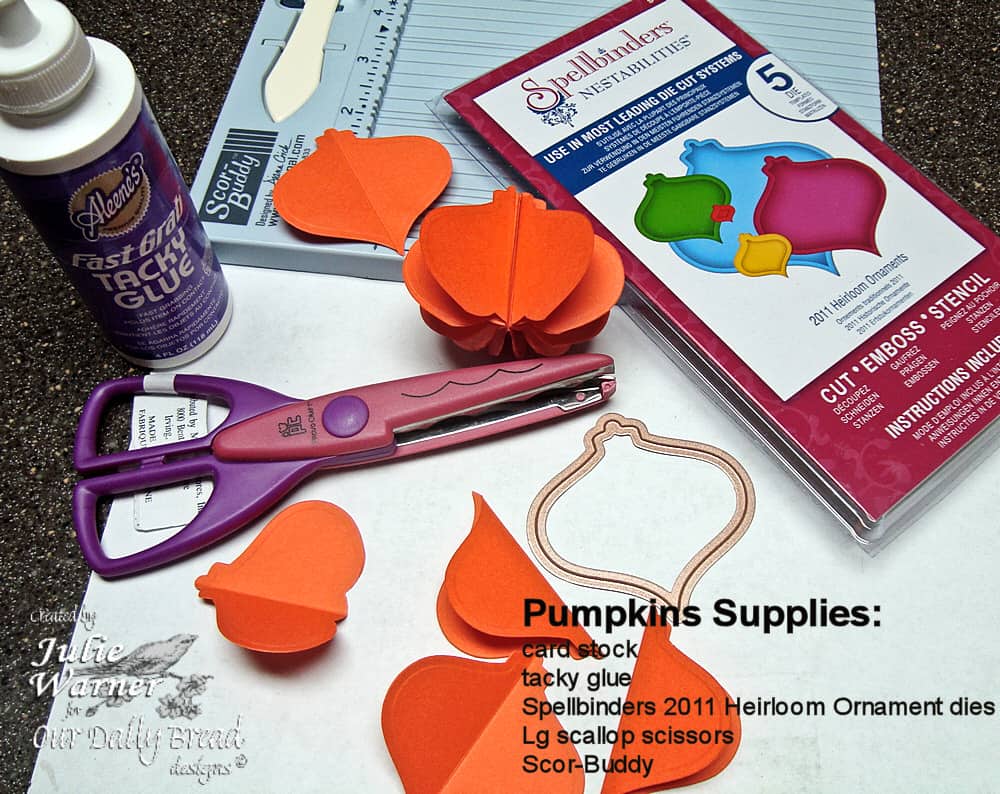
    I sponged on a little dk green ink on the tops of the pumpkins in order to more resemble a stem. You could glue together the final 2 sections if you want them to remain permanently open, but it’s not necessary. And if you want to mail them, just fold them closed and put a little paper clip on them.
     

    These recipe cards were in the dollar bin at my local craft store along with the Seeds tin. I added some stamping on the recipe cards and cut out the pot w/ tools and the little pumpkins from the Garden Tag Set, and attached them on the upper right corners. The recipe cards just fit inside the tin. Add a few packets of seeds, and you have a nice little fall gift set for someone special!

    Thanks so much for stopping by!


  • Delft Tile in Blue


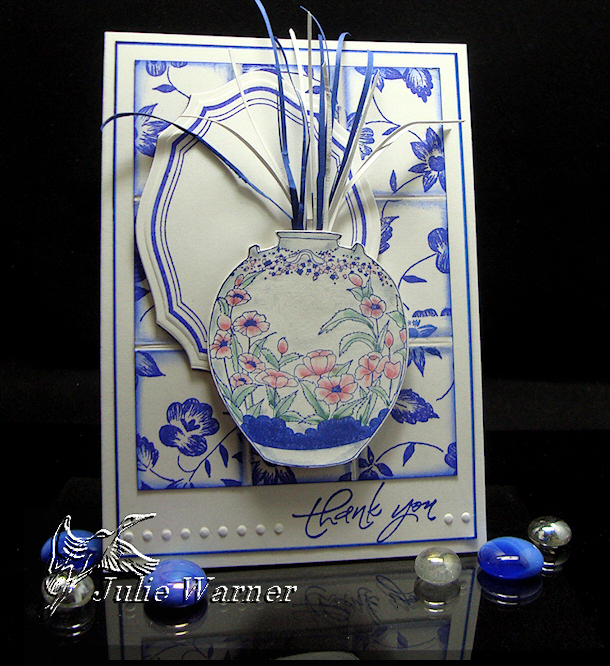
    I’m so excited because I have a new Delft Tile tutorial over on Splitcoast today! It’s fun, easy and requires no special tools. And you get a beautiful Delft tile
    background! I hope you’ll drop by and check it out.

    Thanks for stopping by!

    SaveSave

    SaveSaveSaveSave

    SaveSave


  • Faux Tile Background Tutorial

    Julie Warner - justwritedesigns https://thewritestuff.justwritedesigns.com/

    Click any picture to enlarge.

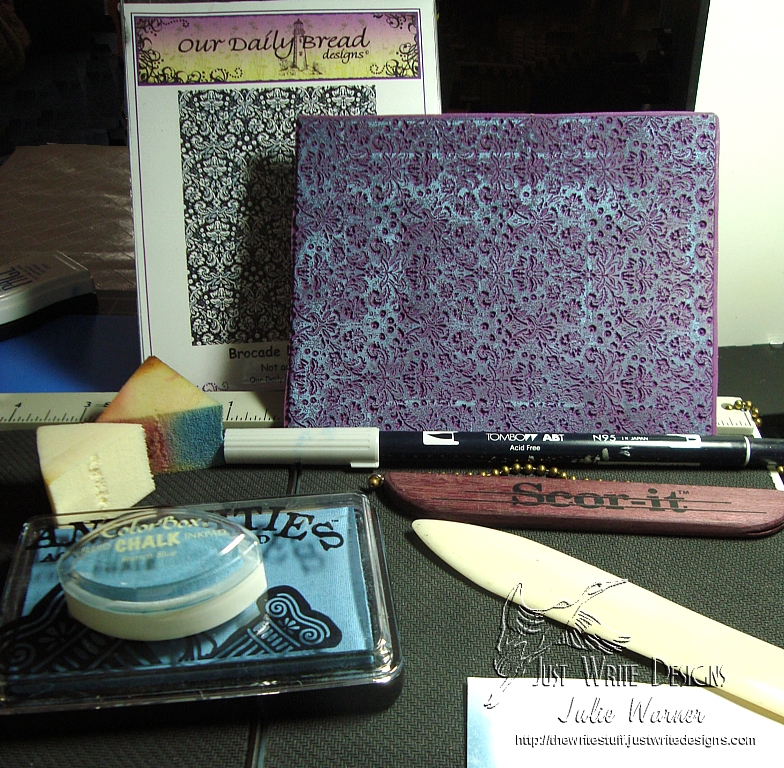
    Supplies Needed:

    • card stock (Neenah white used here)
    • ink (Ranger chalk ink in cobalt used here -very similar to Fluid Chalk French Blue)
    • Scor-It, Score Pal or bone folder and ruler
    • cosmetic or similar sponge
    • lt gray marker (Tombow used here)
    • stamp (ODBD Brocade Background used here)
    • scrap copy paper for a mask
    Julie Warner - justwritedesigns https://thewritestuff.justwritedesigns.com/
    Step 1

    Step 1:
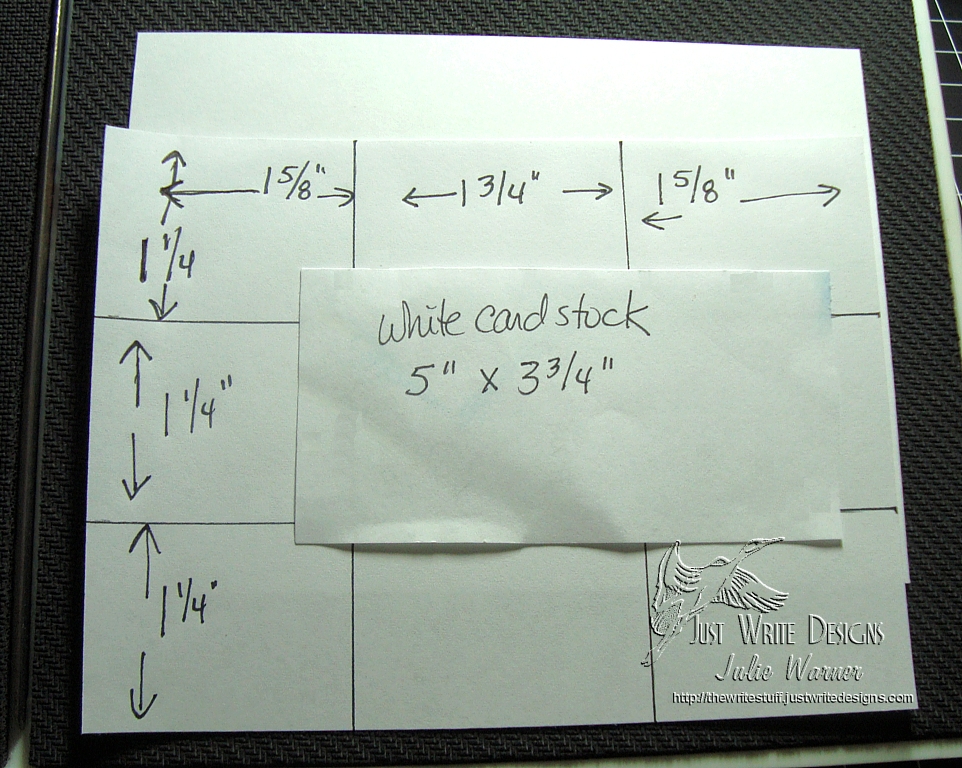
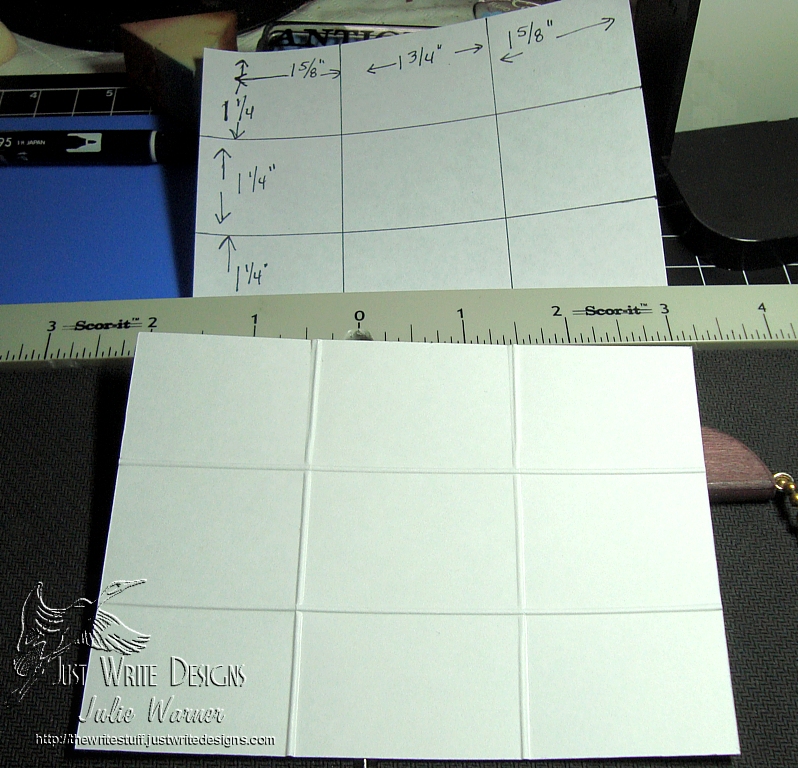
    You may make your tile background any size by adjusting the dimensions of the score lines. For mine, I used a 5 x 3.75 inch piece and scored all the horizontal lines at 1.25 inch intervals. The vertical scores are 1 5/8, 1 3/4 and 1 5/8 as shown above. Score all lines all the way across and down so your card stock should look like the picture below.

    Julie Warner - justwritedesigns https://thewritestuff.justwritedesigns.com/
    After all scoring is done
    Julie Warner - justwritedesigns https://thewritestuff.justwritedesigns.com/
    Step 2

    Step 2:
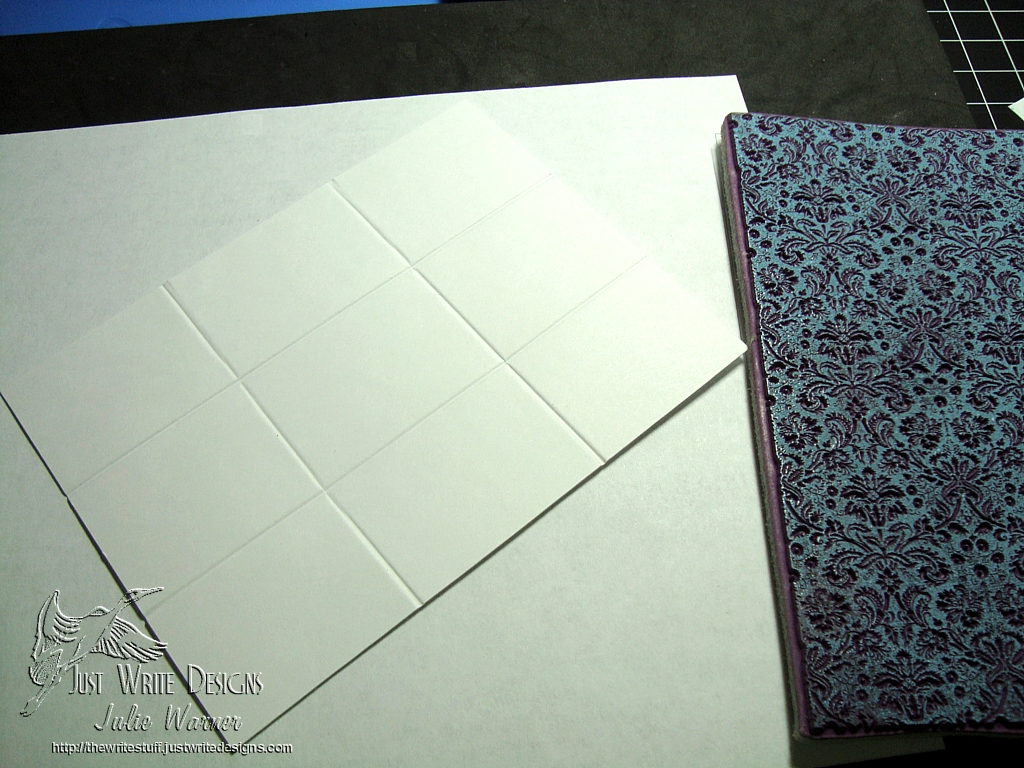
    Turn your scored card stock over so that all scored lines are now indented.  Ink your image and stamp onto the card stock.

    Julie Warner - justwritedesigns https://thewritestuff.justwritedesigns.com/
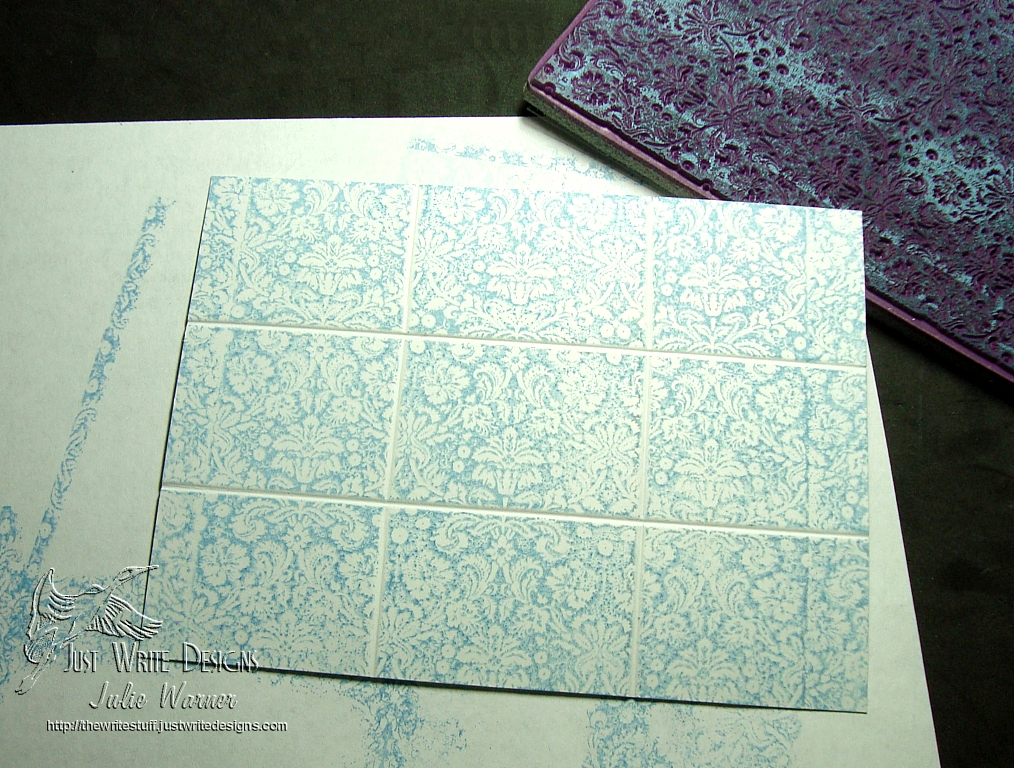
    After stamping

    Your stamped card stock should be well on its way to looking like tile. Note the indented score lines mimic grout lines by preventing the image from stamping into them.

    Julie Warner - justwritedesigns https://thewritestuff.justwritedesigns.com/
    Step 3

    Step 3:
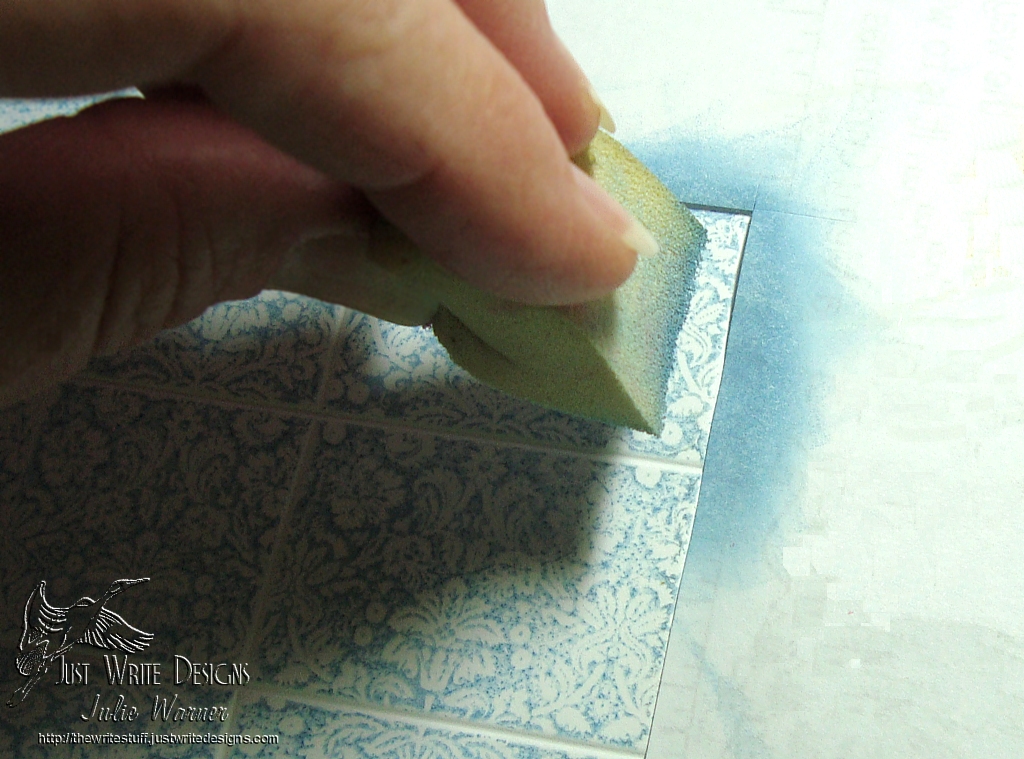
    Cut a square  inside corner in a piece of copy paper to use as a mask. Place the mask as shown and ink your cosmetic sponge with the same ink you used to stamp the image.

    Julie Warner - justwritedesigns https://thewritestuff.justwritedesigns.com/
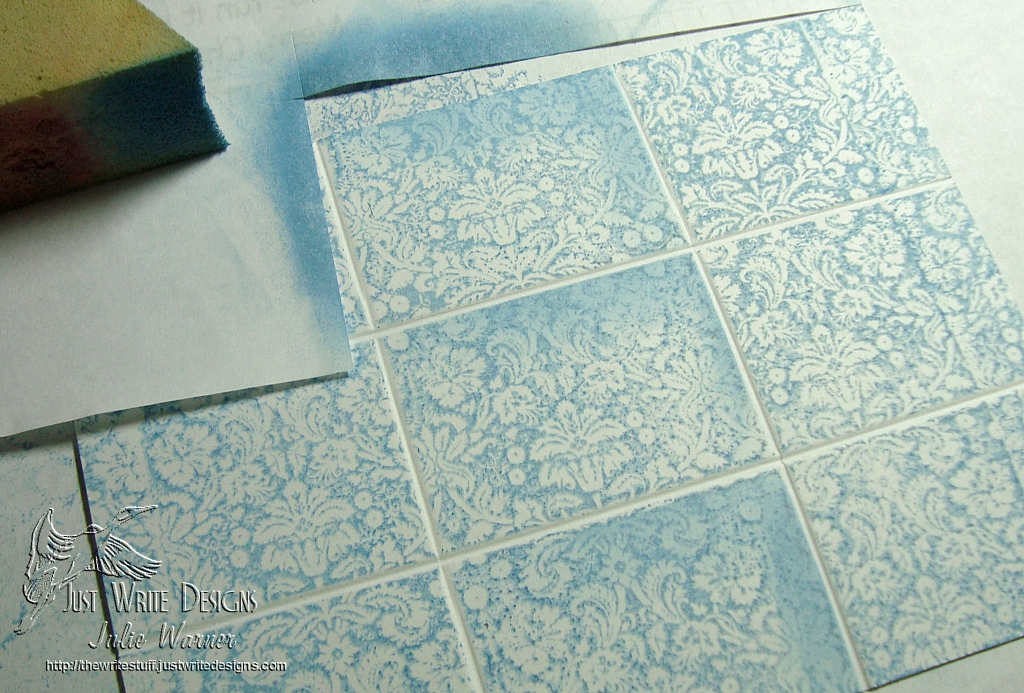
    After one row of corners are sponged

    Move the mask around the corners as you go until all “tile” edges are lightly sponged.

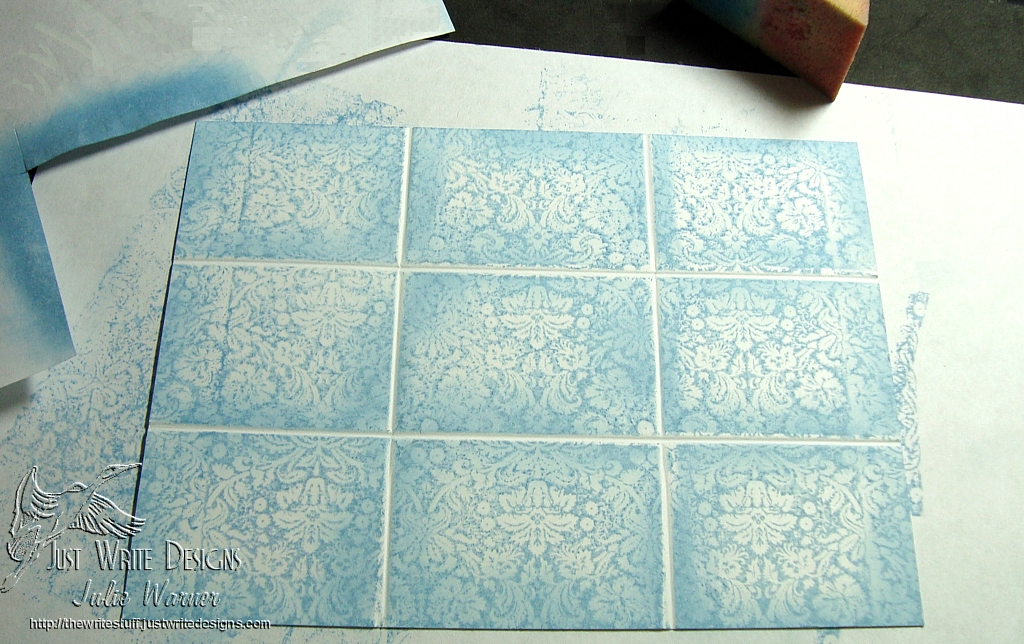
    Julie Warner - justwritedesigns https://thewritestuff.justwritedesigns.com/
    Sponging of tile corners completed.
    Julie Warner - justwritedesigns https://thewritestuff.justwritedesigns.com/
    Step 4

    Step 4:
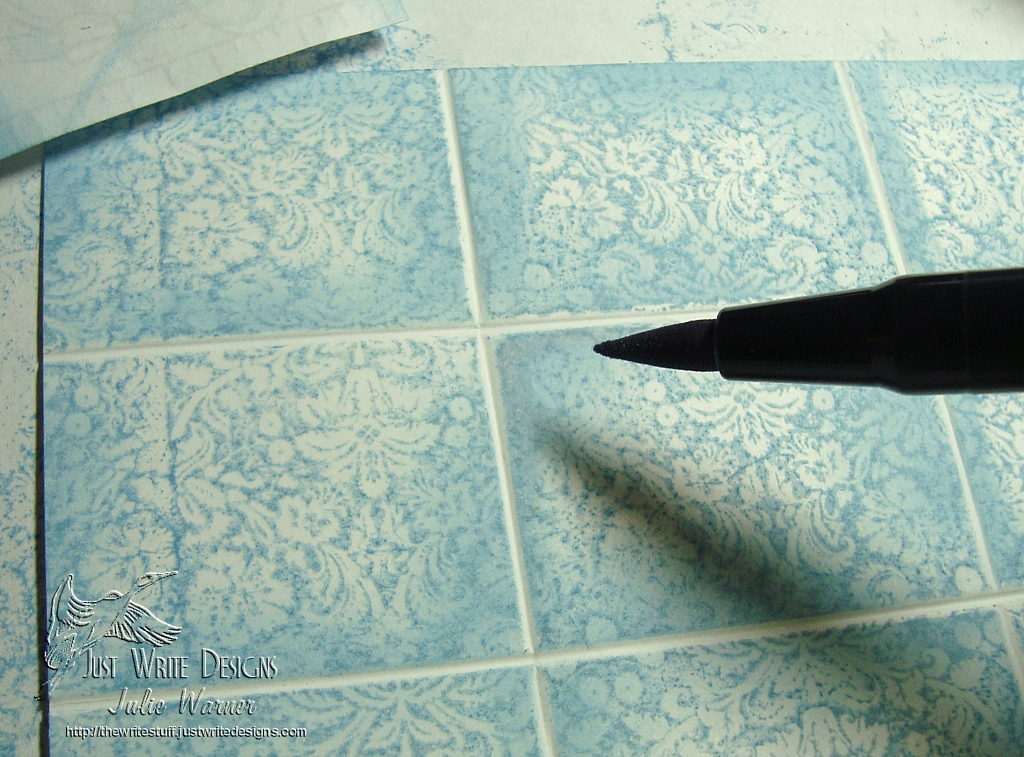
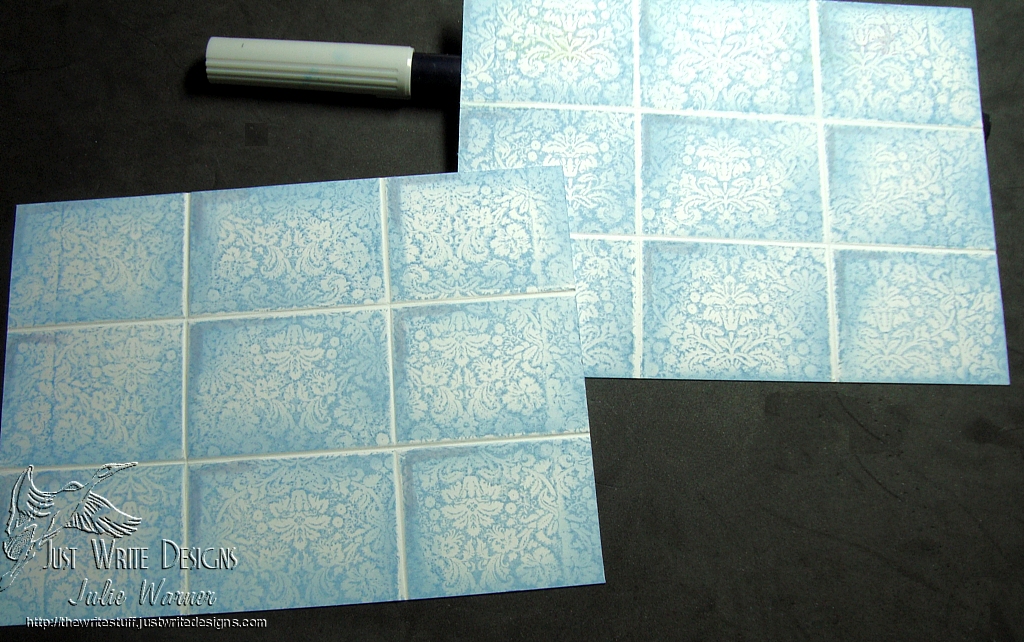
    Use the light gray marker just at the very edges of each tile corner. This completes the “tile” appearance and adds depth to your tiles.

    Julie Warner - justwritedesigns https://thewritestuff.justwritedesigns.com/
    After the marker was used on half of the corners

    You can stop now or continue to add shading all the way around your “tiles”. The one sided shading is more of a light direction appearance while shading all around would be more of a head on light source.

    Julie Warner - justwritedesigns - https://thewritestuff.justwritedesigns.com
    Finished Card